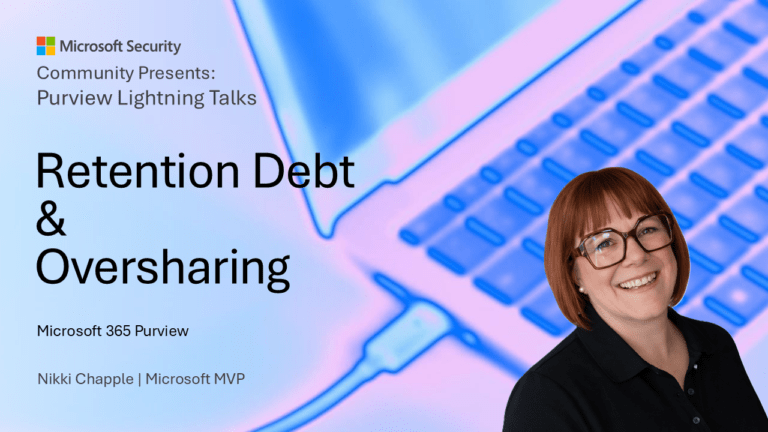
Event details
Event: Purview Lightning Talks – Microsoft Security Community
Location: Virtual (Microsoft Community Event)
Format: Live Lightning Talk (Recorded and published on YouTube)
Date: 30 April 2026
Sessions:
- The Day Offboarding Exposed Infinite Retention
- The Purview Hack No One Talks About: Container Sensitivity Labels That Fix Oversharing Fast
About the event
The Purview Lightning Talks is a community-led Microsoft Security event designed to share real-world Microsoft Purview insights in short, focused sessions.
Each talk is deliberately concise, cutting straight to practical use cases, lessons learned, and actionable recommendations.
The event brings together Microsoft MVPs, customers, and practitioners to share hands-on experience with data security, compliance, and governance in Microsoft 365.
My sessions
I was fortunate to deliver two lightning talks as part of this event, both focused on real-world challenges I see consistently across enterprise environments.
The Day Offboarding Exposed Infinite Retention
📺 Watch the session
The Day Offboarding Exposed Infinite Retention
This 10-minute Purview lightning talk highlights a common but often overlooked issue in Microsoft 365 data lifecycle management.
In many environments, retention policies are designed for active users but unintentionally continue to apply after employees leave. This can result in:
- Orphaned OneDrives
- Inactive mailboxes
- Ongoing storage growth
- Hidden long-term data exposure
The root cause is often retain-only retention policies, which preserve data but do not remove it.
👉 Over time, this creates what I describe as retention debt
The session demonstrates how to:
- Identify inactive mailboxes and unlicensed OneDrives
- Review retention policies and their scope
- Separate active users from leavers
- Use adaptive scopes to apply lifecycle-aware retention
✅ The outcome:
Retention becomes aligned to the user lifecycle, rather than continuing indefinitely in the background
Key quotes from the session
“Retain only means retain content, but don’t delete it.”
“If your leavers stay in scope, you’re creating retention debt.”
“Retention isn’t about how long you keep the data. It’s about who you’re keeping the data for.”
Related content – Offboarding and retention
This session builds on the following deep-dive articles:
Address Ex-Employee OneDrive Retention Issues
Microsoft 365 Offboarding: Secure OneDrive & Mailbox Data
The Purview Hack No One Talks About: Container Sensitivity Labels That Fix Oversharing Fast
📺 Watch the session
The Purview Hack No One Talks About: Container Sensitivity Labels That Fix Oversharing Fast
This 10-minute Purview lightning talk focuses on one of the most overlooked causes of oversharing in Microsoft 365.
Most organisations focus on:
- File-level sensitivity labels
- Data Loss Prevention (DLP)
- Reactive access reviews
But the issue starts earlier.
👉 Oversharing typically begins at the point where collaboration spaces are created
Whether users create Teams, Groups, and SharePoint sites themselves or request them through IT, the same problem exists:
- Default settings are generic
- Collaboration scenarios are treated the same
- Security decisions rely on manual judgement
This leads to inconsistent outcomes and increased risk.
The session introduces a simple but powerful approach:
✅ Use container sensitivity labels as a translation layer between policy and enforcement
These labels:
- Represent collaboration risk (not data classification)
- Apply consistent controls to Teams, Groups, and SharePoint sites
- Enforce privacy, guest access, and sharing rules automatically
✅ The outcome:
Consistent, risk-based access control without slowing users down
Key quotes from the session
“Oversharing in Microsoft 365 usually starts before any data is added.”
“The risk hasn’t been removed. It’s just been shifted.”
“Container sensitivity labels let you govern collaboration risk consistently without relying on manual judgement.”
Related content – Container Sensitivity Labels
This session builds on the following deep-dive articles:
- Container Sensitivity Labels: The Purview “Hack” That Fixes Copilot Oversharing Fast
- How to Configure Container Sensitivity Labels in Microsoft Purview (Step-by-Step)
- How To Apply Container Sensitivity Labels at Scale in Microsoft 365
Key themes across both sessions
Although these sessions focus on different areas, they both reinforce a common message:
✅ Data risk in Microsoft 365 is often structural, not accidental
✅ Default configurations have long-term impact
✅ Fixing issues after the fact is costly and complex
✅ The most effective controls are applied early and consistently
Closing thought
In Microsoft 365, risk is rarely created in the moment.
It’s designed into the defaults.
Fix the design, and you fix the risk at scale.
Need help governing AI and protecting your data in Microsoft 365?
If you’re working through these challenges in your organisation, I can help.
Nikki Chapple is a dual Microsoft MVP (Microsoft 365 and Security) and Principal Cloud Architect at CloudWay, helping enterprises reduce data exposure, prevent data loss, and manage AI risk across Microsoft 365. More about Nikki.
She co-hosts the AI Governance and Data Security Show with Ryan John Murphy, helping organisations securely adopt AI, govern data, and manage generative AI risk.
📺 YouTube · 🎧 Spotify · 🎧 Apple · 🔗 LinkedIn