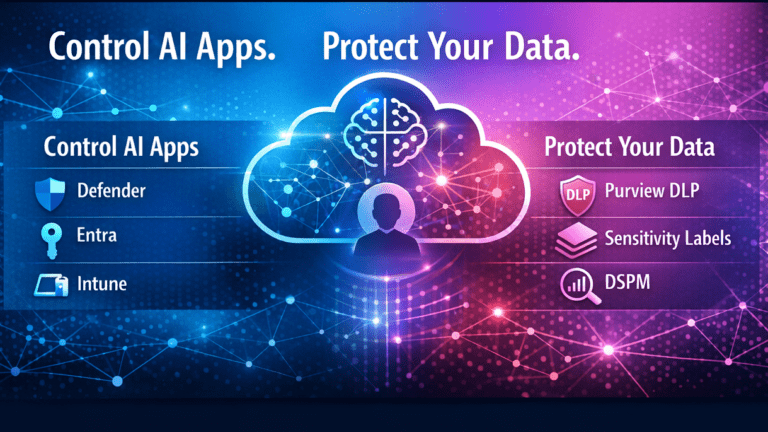
Most organisations are already dealing with Shadow AI, whether they realise it or not.
Employees are using ChatGPT, Claude, Gemini, AI-powered browser extensions, meeting assistants, coding tools, and countless other generative AI services to work faster.
The challenge is not stopping people from using AI.
The challenge is governing where organisational data goes.
In my previous article, Shadow AI Governance: Why You Must Control AI Data Risk In Microsoft 365 I explained why Shadow AI has become one of the fastest-growing data security challenges facing IT and security teams.
This article focuses on the next question:
How do you actually govern it?
Microsoft recently published a deployment model called Prevent Data Leak To Shadow AI, which combines Microsoft Purview, Microsoft Defender for Cloud Apps, Microsoft Entra, and Microsoft Intune into a unified approach for managing AI risk.
Microsoft’s guidance is excellent.
But in practice, I simplify it into two control layers:
- Control the Apps
- Control the Data
Everything else supports these two decisions.
Because successful AI governance is not about blocking AI.
It is about enabling AI safely.
You cannot stop users using AI.
But you can control what happens to your data.
Table of Contents
What this guide covers
This guide explains how to govern Shadow AI in Microsoft 365 using Microsoft Purview, Defender and DSPM. This article explains how to:
- Build an operational governance model for AI
- Discover which AI tools are being used across your organisation
- Assess the risk of generative AI applications
- Sanction, restrict, or block AI services
- Identify where sensitive data is exposed
- Apply Microsoft Purview Data Loss Prevention (DLP) controls
- Protect data in Microsoft 365 Copilot and Copilot Chat
- Extend controls to third-party AI applications
The Microsoft Control Plane For Shadow AI
One of the biggest misconceptions I see is that Shadow AI is a standalone security problem.
It is not.
Shadow AI sits across multiple control planes.
Microsoft has recognised this and defined a Prevent data leak to shadow AI deployment model for preventing data leakage to AI, combining multiple services into a unified approach.
Microsoft’s Approach To Shadow AI Governance
Microsoft’s architecture brings together four key services:
- Microsoft Defender for Cloud Apps for AI discovery and app governance
- Microsoft Purview for data protection and compliance
- Microsoft Entra for identity and access control
- Microsoft Intune for device-level enforcement
Together, these services create the control plane for AI governance in Microsoft 365.
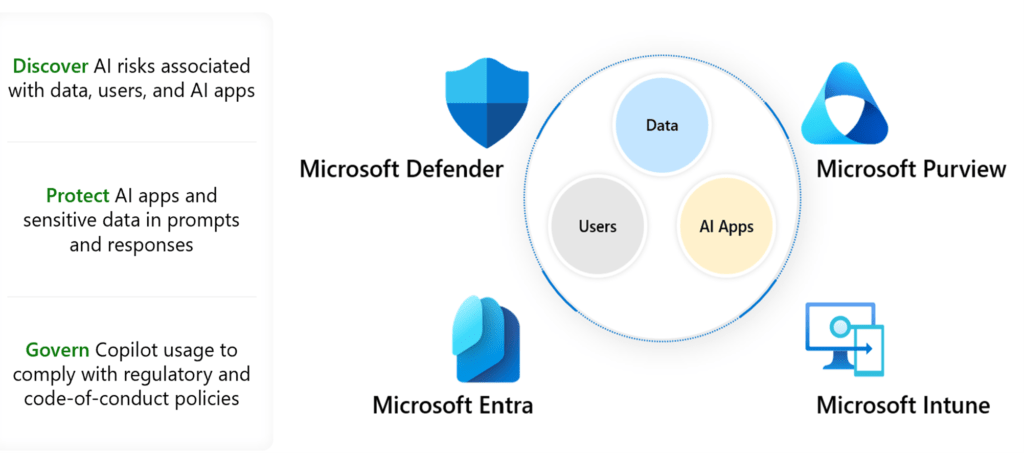
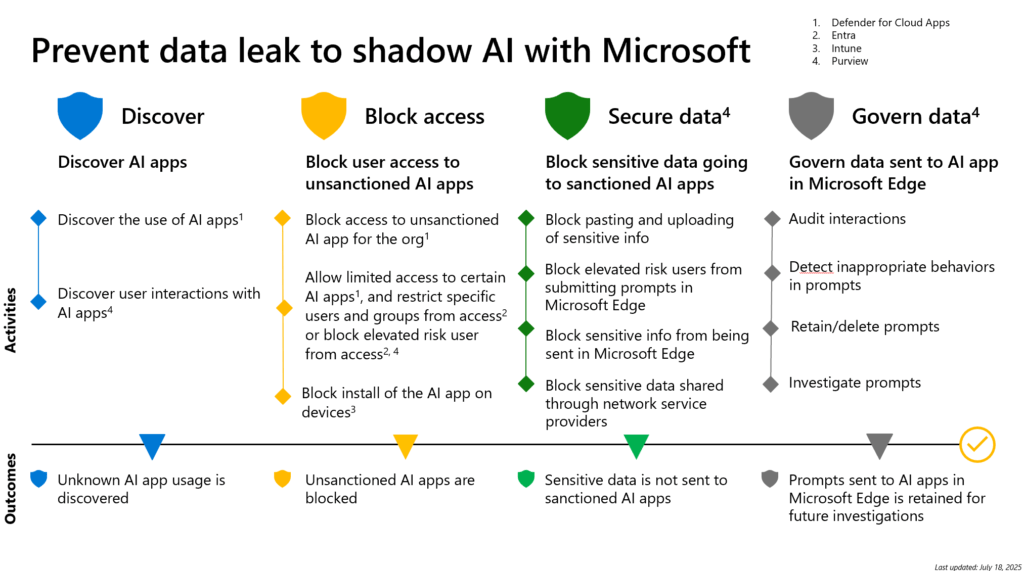
Microsoft defines this as a four-step model:
- Discover AI apps
- Block unsanctioned AI apps
- Protect sensitive data
- Govern data
The Gap Between Guidance And Implementation
Microsoft’s model is comprehensive.
But in practice, most organisations struggle to translate this into a clear operating approach.
The challenge is not understanding the components.
It is knowing how to apply them consistently across:
- Apps
- Users
- Devices
- Data
A Practical Way To Think About It
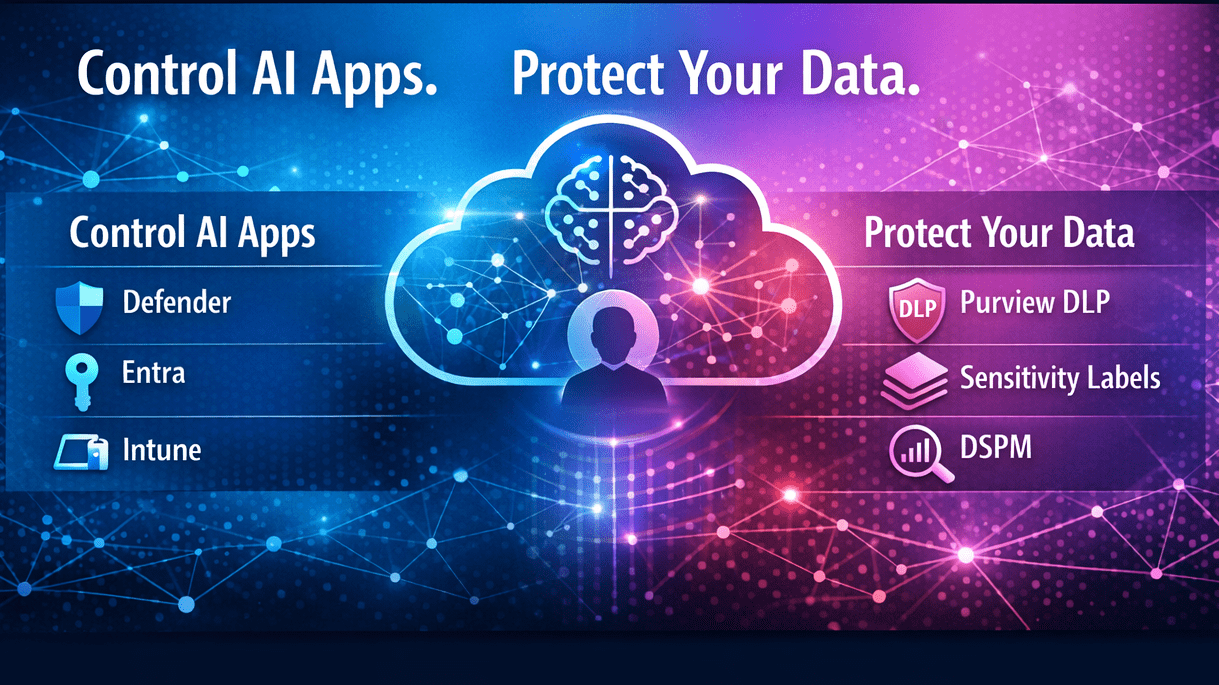
In real-world deployments, I simplify this into two control layers:
- Control the Apps → decide where data can go
- Control the Data → decide what data can leave
Everything else supports these two decisions.
👉 This highlights an important distinction:
- Microsoft provides the control plane
- Your organisation must define the control model
Why This Matters
Without this structure:
- App controls are applied inconsistently
- Data protection is reactive
- AI risk becomes fragmented across teams
With it:
- You have a clear governance model
- Decisions are applied consistently
- AI risk becomes manageable
👉 From this point, the rest of this guide walks through how to implement that model step by step.
Control Shadow AI Applications
The first layer focuses on where data can go.
This is where Microsoft Defender for Cloud Apps, Microsoft Entra, and Microsoft Intune play their role.
Step 1. Discover AI App Usage
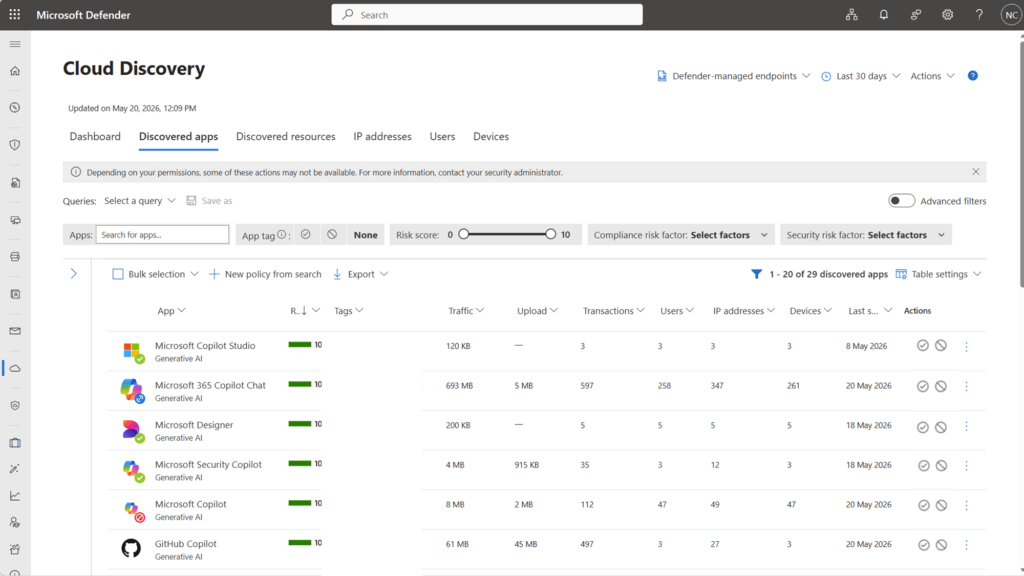
Before you can govern Shadow AI, you need visibility.
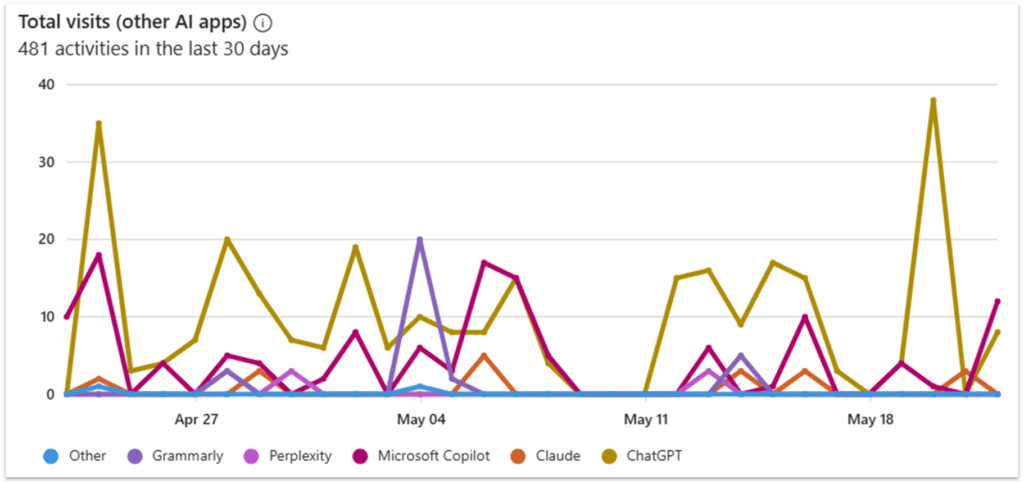
Microsoft Defender for Cloud Apps provides Cloud Discovery capabilities that allow organisations to identify which AI applications users are accessing.
This is how most organisations discover the reality of AI usage for the first time.
What was assumed to be occasional usage often turns out to be widespread adoption.
What You Can See
Defender for Cloud Apps Cloud Discovery provides visibility into:
- Which AI tools are being used
- Who is using them
- How frequently they are being used
- Whether usage is sanctioned or unsanctioned
- Risk ratings for discovered applications
What To Configure
Configure Cloud Discovery using one or more of the following approaches:
- Integration with Microsoft Defender for Endpoint
- Upload of firewall or proxy logs
- Integration with secure web gateway solutions
- Continuous log collection for ongoing monitoring
For a deeper understanding of Microsoft Defender for Cloud Apps see the: Get started – Microsoft Defender for Cloud Apps | Microsoft Learn
What To Look For
Focus on:
- High usage AI apps
- Generative AI services specifically
- Repeat users and high-volume usage patterns
- Unsanctioned tools
- Low-risk score or unknown vendor tools
👉 Insight:
This is the moment most organisations see reality for the first time. Once AI usage is visible, it becomes measurable, and therefore governable.
Step 2: Assess Gen AI Risk
Microsoft Defender for Cloud Apps discovery gives you an inventory.
It does not give you a decision.
One of the biggest mistakes I see is treating all AI applications as equal.
They are not.
Microsoft 365 Copilot and a consumer AI website have fundamentally different risk profiles.
Use The Microsoft Defender For Cloud Apps Catalog
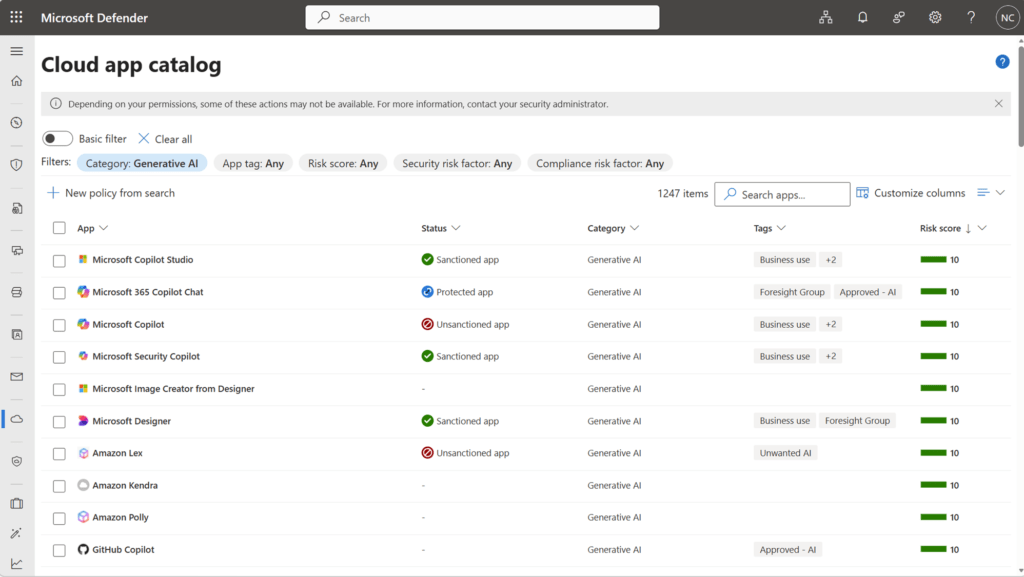
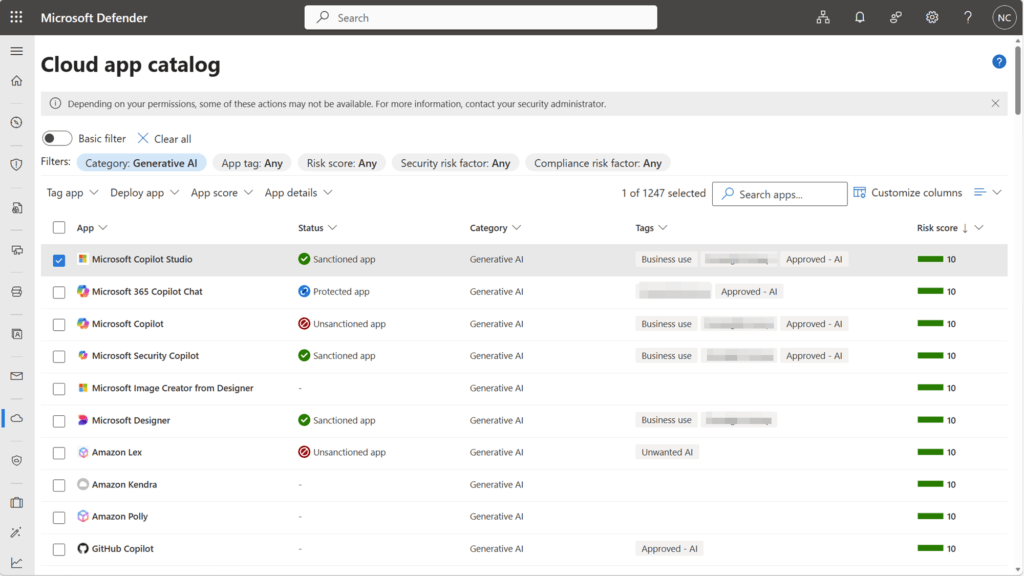
Microsoft Defender for Cloud Apps includes a built-in Cloud App Catalog that allows you to identify generative AI applications that Microsoft has already analysed.
You can filter the catalog by category to view Generative AI applications, including tools such as ChatGPT, Gemini, Claude, and others that are commonly used within organisations.
For each application, Microsoft provides a risk score based on multiple factors, including:
- Security posture
- Compliance certifications
- Data handling and retention policies
- Industry standards and regulatory alignment
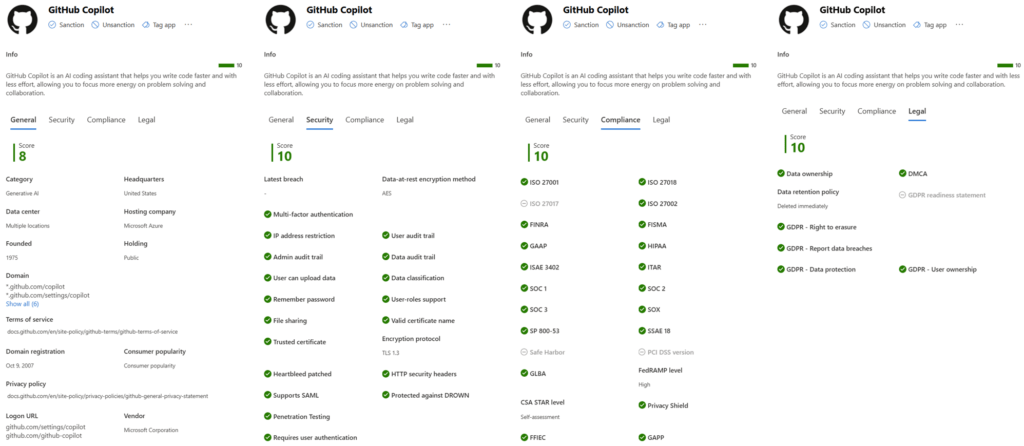
This gives you a baseline vendor risk assessment without needing to start from scratch.
However, this is only one part of the picture. In practice, these decisions should not sit with a single team. In most organisations, they are driven through an AI Council or governance forum, bringing together security, compliance, IT and business stakeholders.
This is the point where AI usage moves from observation to governance.
👉 Your risk model provides the evidence. The AI Council provides the decision.
A Practical Risk Assessment Model
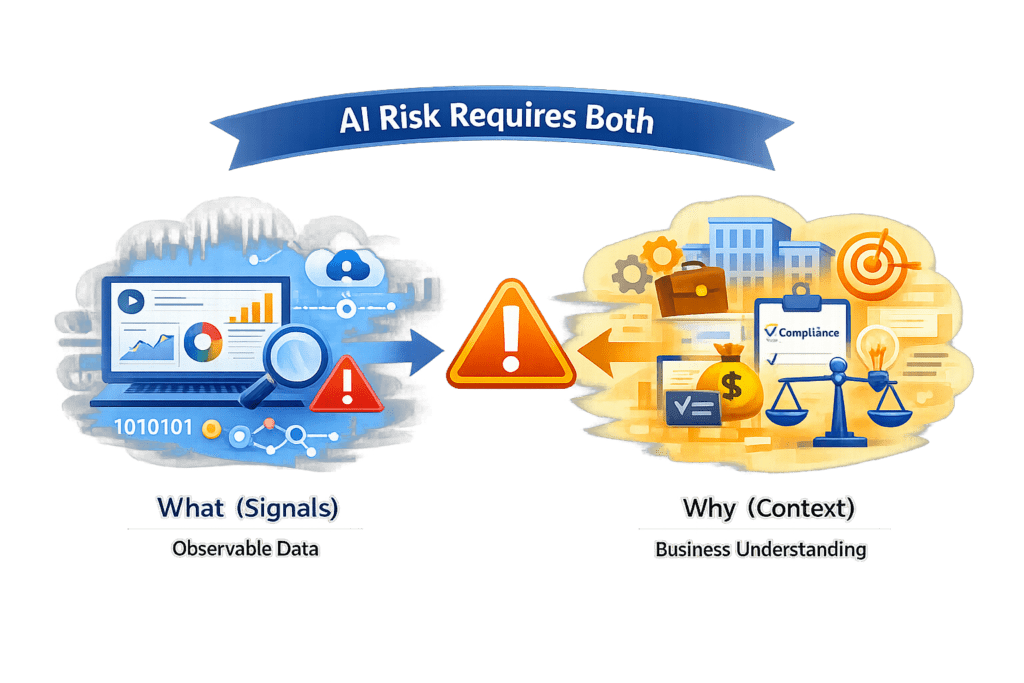
AI risk cannot be assessed by tools alone. It requires combining observable signals with business and vendor context.
To make consistent decisions, I recommend assessing AI applications using four criteria:
Usage (Signal)
- Who is using the application?
- How frequently?
- How widespread is adoption?
Data Exposure (Signal)
- Is data retained?
- Is data used for training?
- Could sensitive information be exposed?
Use Case (Context)
- What business problem is it solving?
- Is there an approved alternative?
- Does the value justify the risk?
Vendor Risk Profile (Context)
- Security certifications
- Compliance posture
- Data handling commitments
- Data processing location
👉 Together, these provide an evidence-based model for decision-making, rather than relying on assumptions or subjective judgement.
How To Use Microsoft Scores In Your Model
The Cloud App Catalog should support your decision-making.
It should not replace it.
Use Microsoft’s risk score alongside:
- Your organisation’s actual usage patterns
- Business context and use case
- Internal data exposure risks
- Vendor documentation and legal terms
👉 Practical tip:
Start with high-usage generative AI apps that have lower risk scores or unknown classifications. These are often your quickest wins for governance decisions.
Where To Get The Evidence
Use a combination of:
- Microsoft Defender for Cloud Apps risk scores and app metadata
- DSPM for data exposure visibility and recommendations
- Vendor documentation for retention, model training, and data processing
- Your internal governance forum or AI council for business context
For organisations already measuring Microsoft 365 Copilot adoption, you may also find value in my article: Measuring Copilot and Gen AI Success and Risks
Everything up to this point determines what you allow. The next step determines how you enforce it.
Step 3: Control Access To AI Applications
Discovering AI applications is only the first step.
Defender for Cloud Apps acts as a Cloud Access Security Broker (CASB), providing visibility into and control over cloud and AI applications used across the organisation. It is designed not just to show you what is being used, but to help you take governance action on those applications.
Once apps are identified and assessed, you can:
- Mark applications as Sanctioned or Unsanctioned
- Apply policies to monitor usage and detect risk
- Enforce controls such as blocking or restricting access
- Continuously review usage as new AI tools emerge
👉 This is the point where Shadow AI becomes manageable.
Once applications have been assessed, governance decisions can be enforced across three layers of control: application, identity, and device.
👉 This ensures control is applied consistently, regardless of how users access AI tools.
Organisation-Wide Control With Defender For Cloud Apps
The Cloud App Catalog allows you to filter specifically for Generative AI apps, giving you a focused view of AI tools in use.
Here you can:
- Mark apps as Unsanctioned
- Mark approved apps as Sanctioned
- Integrate with Defender for Endpoint to block access
- For other security solutions you can export the URLs for the Sanctioned or Unsanctioned apps.
User And Group-Level Control With Entra
Where more granular control is required, Microsoft Entra allows you to apply identity-based access controls.
This includes:
- Restricting access by user or group
- Applying Conditional Access policies
- Limiting access for high-risk users
- Adapting controls based on user risk or behaviour
This ensures access decisions are aligned to identity and risk context, not just the application.
Device-Level Control With Intune
Microsoft Intune extends control to managed devices.
You can:
- Block installation of unmanaged AI apps
- Allow access only to approved apps via the Company Portal
- Apply device compliance and security policies
This ensures users cannot bypass app governance through unmanaged endpoints.
👉 The goal is not to block AI.
👉 The goal is to reduce unmanaged usage and guide users to safer, approved alternatives.
Protect Sensitive Data In Shadow AI
Controlling applications is only half the story.
Even approved AI tools can create risk if sensitive data is exposed.
If you do not understand where your data is exposed, AI will surface that risk faster.
Step 4: Understand Data Risk With DSPM
If sensitive data is overshared, AI will find it faster than any human ever could.
Microsoft Purview Data Security Posture Management (DSPM) helps you understand:
- Where oversharing creates risk
- Where sensitive data exists
- Who has access
- How data is being used
But DSPM does more than provide visibility.
It helps you prioritise risk and identify where action is required.
Rather than reviewing data manually, DSPM surfaces:
- High-risk exposure scenarios
- Oversharing issues across Microsoft 365
- Recommendations to reduce risk
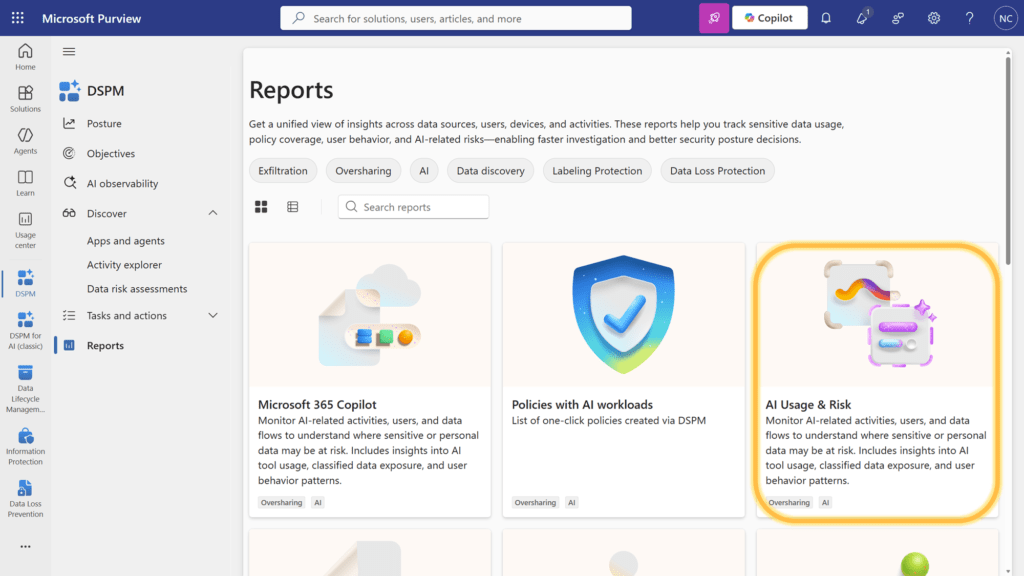
👉 DSPM acts as the front door to AI data governance, bringing together visibility, insight, and recommended actions in one place.
Why This Matters For AI
AI does not create data risk.
It exposes it.
DSPM helps you identify where:
- Sensitive data is already overexposed
- Access permissions are too broad
- AI interactions could surface sensitive content
👉 In most organisations, the biggest AI risk is not Shadow AI.
👉 It is existing oversharing in Microsoft 365.
Prerequisites you should not miss
To enable DSPM effectively, ensure the following are configured:
- Enable Microsoft Purview audit to capture activity signals
- Onboard devices to Microsoft Purview (for Endpoint DLP and activity visibility)
- Deploy the Purview browser extension (via Intune)
- Apply Edge configuration policies for browser-based controls
- Configure Endpoint DLP policies to detect sensitive data usage
- Configure Insider Risk Management policies to detect risky behaviour and AI usage patterns
These prerequisites ensure DSPM has the signals it needs to generate accurate insights and recommendations.
What DSPM Enables Next
Understanding data risk is only the starting point.
DSPM provides the insight needed to:
- Prioritise where DLP policies should be applied
- Identify oversharing before AI amplifies it
- Guide remediation across Microsoft 365
👉 Without this step, most data protection efforts are applied blindly.
For a deeper understanding of how DSPM brings together visibility, risk prioritisation, and recommended actions, see the Microsoft Purview Data Security Posture Management overview.
👉 DSPM tells you where the risk is. DLP is how you control it.
Step 5: Deploy Microsoft Purview DLP for Copilot and Copilot Chat
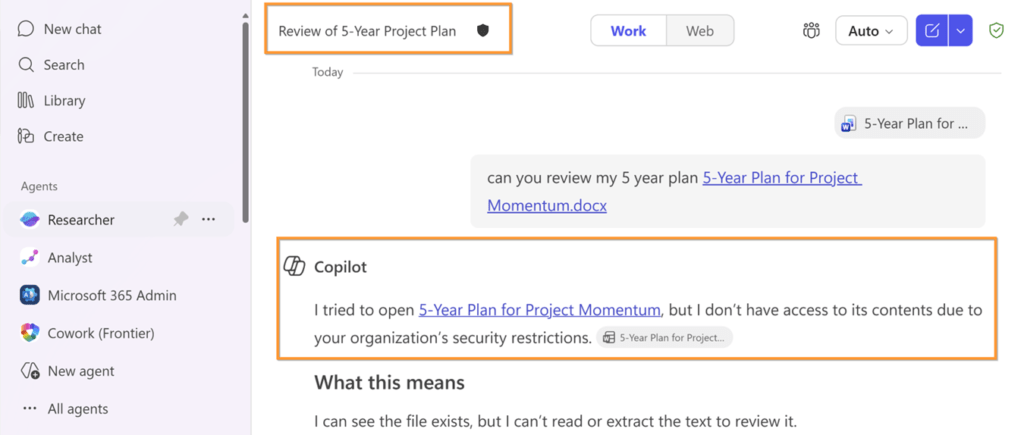
Once you understand risk, you can control it.
Microsoft Purview DLP provides controls specifically for Copilot and Copilot Chat.
Key DLP Controls
- Block Sensitive Prompts
Prevent users entering sensitive data - Restrict Web Grounding
Prevent external data retrieval - Protect Labelled Files And Emails
Prevent Copilot from using protected content - Restrict External Email Grounding (Upcoming)
👉 This is where AI governance becomes real enforcement
I cover this in more detail in my guide on How to Deploy Microsoft Purview DLP for Copilot and Generative AI.
Step 6: Extend Protection to Third-Party AI Sites and Endpoints
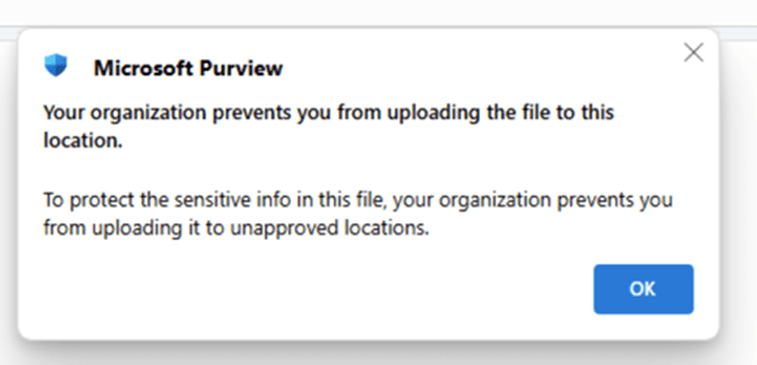
Shadow AI is not just Microsoft Copilot.
This is where Endpoint DLP becomes critical.
What Endpoint Dlp Allows You To Do
- Block uploads to AI tools
- Block copy and paste
- Warn users
- Monitor behaviour
- Protect unmanaged apps
👉 Key principle:
Even if the app is allowed, that does not mean the data should be.
I cover this in more detailed in my guide on How to Deploy Microsoft Purview DLP for Copilot and Generative AI.
Step 7: Add Auditing, Compliance, and Investigation Capability
A governance model is only complete if you can answer:
- Who used the tool
- What data was exposed
- What was blocked
- What needs investigation
Your Operational Model Should Include
- Audit logs for AI activity
- Incident investigation processes
- Retention policies
- Ownership across security and compliance teams
You Need Both Controls
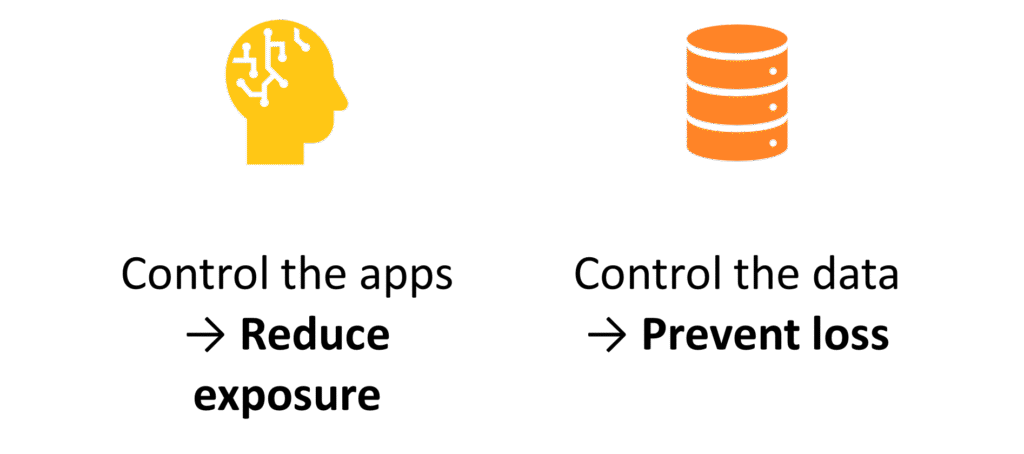
Most organisations fail by focusing on one and assuming it solves both. It does not.
This is the most important takeaway:
- App control reduces exposure
- Data control prevents loss
You need both.
If you only do one. The risk remains.
A Practical Rollout Order
Most organisations delay this because they think it is complex.
It does not need to be.
Week 1: Discovery
- Use Microsoft Defender for Cloud App Discovery to review AI apps
- If you are not using Defender for Endpoints to manage your devices, then you can upload firewall logs to understand what is being used.
Week 2: Risk Assessment
- Assess usage and exposure
- Identify high-risk apps
Week 3: App Controls
- Integrate Defender for Cloud Apps and Defender for Endpoints
- Sanction and block apps
- Create policies to enable enforcement
Week 4: Data Controls
- Onboard devices to Purview
- Deploy the Purview browser extension
- Deploy the one-click Microsoft Purview DLP and Endpoint DLP policies in monitor mode to track what sensitive data is being shared with Gen AI apps.
- Deploy the one-click IRM policies to monitor visits to AI web sites
What Matters Most In Practice
- Governance must span apps, data, users, and devices
- Discovery is not optional
- App control alone is not enough
Final thought
The organisations that succeed with AI governance will not be the ones that block the most tools.
They will be the organisations that:
- Understand where AI is being used
- Assess risk consistently
- Protect sensitive data
- Provide safer alternatives
Shadow AI is already here.
The question is not whether people are using AI.
The question is whether you can:
- See it
- Govern it
- Protect your data
Or, put simply:
You can’t stop users using AI.
But you can control what happens to your data.
Frequently Asked Questions (FAQ)
What is the first step to controlling Shadow AI?
The first step is visibility.
You need to understand which AI tools are being used, who is using them, and how widespread that usage is. Without this, you are making governance decisions without evidence.
How do you discover Shadow AI in Microsoft 365?
Shadow AI can be discovered using a combination of:
– Microsoft Defender for Cloud Apps (Cloud Discovery) for app visibility
– Microsoft Purview DSPM for AI to understand how data is being used
– Network-based controls such as Global Secure Access for additional visibility
The key is combining these signals to get a complete view across apps, users, and data.
How do you assess the risk of AI applications?
You should not treat all AI tools as equal.
A practical approach is to assess risk based on:
– Usage (who and how often)
– Use case (business value vs alternatives)
– Vendor risk (security, compliance, data handling)
– Data exposure (what data could be shared or retained)
This allows you to make consistent, evidence-based decisions.
How do you block access to AI tools?
You can control access at multiple layers:
– Defender for Cloud Apps to sanction or unsanction applications
– Microsoft Entra to apply Conditional Access and restrict users or groups
– Microsoft Intune to control installation and access on managed devices
The goal is not to block everything, but to reduce unmanaged and high-risk usage.
How do you protect data in AI interactions?
Microsoft Purview provides the core data protection controls.
This includes:
– Data Loss Prevention (DLP) to block sensitive prompts
– Sensitivity labels to protect and restrict access to data
– Endpoint and browser controls to prevent data being pasted or uploaded to AI tools
This ensures that even approved AI tools do not receive sensitive data inappropriately.
Can you stop employees using AI tools?
In practice, no.
Users will always find ways to access AI tools.
The goal is to govern usage by:
– controlling which apps are allowed
– protecting sensitive data
– guiding users to safer, approved alternatives
What Microsoft tools are used for Shadow AI governance?
The core services are:
– Microsoft Defender for Cloud Apps
– Microsoft Purview
– Microsoft Entra
– Microsoft Intune
Together, these provide visibility, control, protection, and governance across the environment.
What prerequisites are needed to use these controls?
Requirements depend on the level of control you want, but typically include:
– Appropriate Microsoft Purview and Defender licensing
– Audit enabled in Microsoft Purview
– Devices onboarded to Endpoint DLP
– Browser and endpoint controls configured
– Policies deployed for monitoring and enforcement
Start with discovery first, then layer in controls progressively.
Can Microsoft Purview DLP stop users entering sensitive data into Copilot?
Yes.
Microsoft Purview DLP can:
– Block sensitive prompts
– Restrict access to sensitive data
– Prevent Copilot from using labelled content
This helps reduce the risk of sensitive information being exposed through AI interactions.
Do I need to block all AI tools?
No.
Most organisations achieve better outcomes by:
– replacing unmanaged AI with approved alternatives
– applying controls where risk is highest
– enabling safe usage rather than restricting everything
The objective is not elimination.
It is controlled adoption.
Do I need both app control and data protection?
Yes.
This is critical.
– App controls determine where data can go
– Data controls determine what data can be shared
If you only implement one, the risk remains.
Need help governing AI and protecting your data in Microsoft 365?
If you’re working through these challenges in your organisation, I can help.
Nikki Chapple is a dual Microsoft MVP (Microsoft 365 and Security) and Principal Cloud Architect at CloudWay, helping enterprises reduce data exposure, prevent data loss, and manage AI risk across Microsoft 365. More about Nikki.
She co-hosts the AI Governance and Data Security Show with Ryan John Murphy, helping organisations securely adopt AI, govern data, and manage generative AI risk.
📺 YouTube · 🎧 Spotify · 🎧 Apple · 🔗 LinkedIn