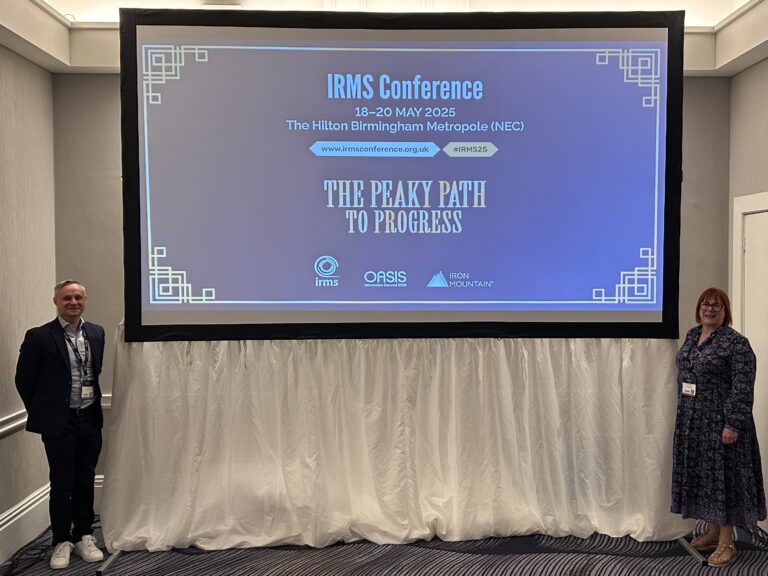
I’m deeply honoured to have delivered the closing keynote with Ryan John Murphy from Microsoft at the IRMS Conference 2025 – The Peaky Path to Progress | 18th – 20th May 2025 | Birmingham, UK an event that continues to be the beating heart of the information management community. With over 400 professionals from across sectors, this year’s theme, “The Peaky Path to Progress,” couldn’t have been more fitting.
As we navigate an era where data is both an asset and a liability, my session—“Protecting Your Sensitive Data with Microsoft Purview: Practical Information Protection and DLP Strategies”—focused on equipping organizations with the tools and mindset to climb their own digital mountains.
🧭 The Challenge: A Digital Avalanche
We opened with a stark reality:
73% of unstructured sensitive data remains undiscovered and unclassified.
(Source: ESG – The State of Data Loss Prevention)
That’s not just a statistic—it’s a wake-up call. In a world where Microsoft 365 generates 2 billion pieces of content daily, the scale of the challenge is immense. But the solution doesn’t start with technology—it starts with a mindset shift.
🧗♀️ The Climb: Microsoft Purview as Your Trail Guide
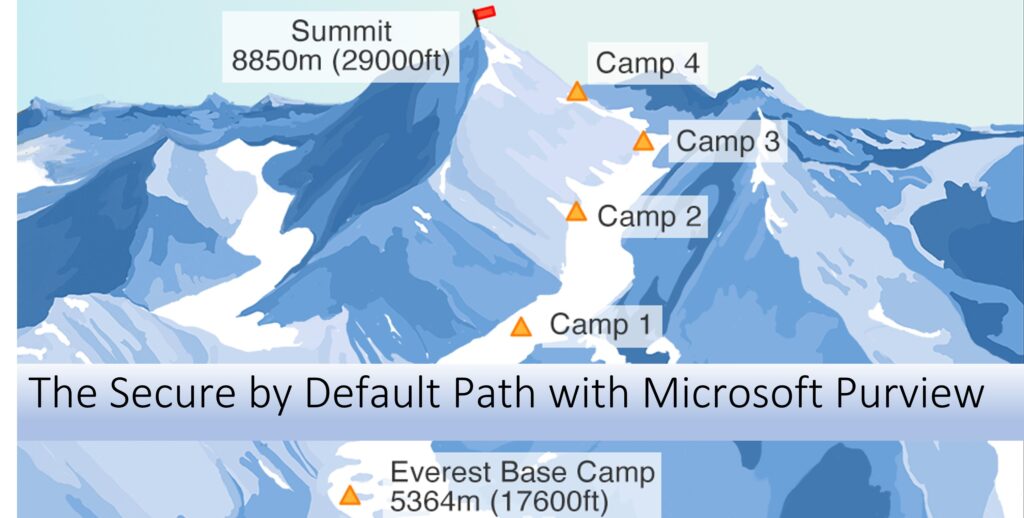
We framed our journey using a mountaineering metaphor. Securing Microsoft 365 is like climbing Everest. You don’t do it without a guide, a plan, and the right gear.

That’s where Microsoft Purview comes in.
🧰 The Toolkit:
- Know Your Data – Your map and compass
- Protect Your Data – Your thermal gear and harness
- Prevent Data Loss (DLP) – Your safety ropes
🗺️ The “Secure by Default” Blueprint: Four Phases to the Summit
We introduced the new Microsoft Purview Blueprint, “Secure by Default with Microsoft Purview“.
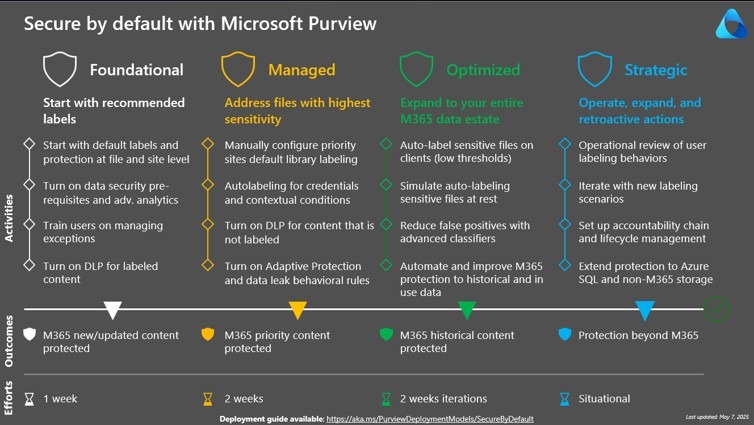
A four-phase maturity model to help organizations scale their data protection journey:
- Foundational (Base Camp)
- Apply default sensitivity labels at creation
- Train users to manage exceptions
- DLP for labeled content
- Managed (The Ascent Begins)
- Focus on crown jewel data
- Use client-side auto-labeling and adaptive protection
- DLP for unlabeled content
- Optimized (Scaling the Ridge)
- Auto-label historical content
- Simulate and test policies
- Use advanced classifiers
- Strategic (The Summit)
- Operational reviews
- Identify new labeling scenarios
- Implement workspace governance with SharePoint Advanced Management
🏁 Top Tips for the Climb
- Keep it Simple – Complexity is the enemy of progress
- Train Your Users – Empower your first line of defense
- Don’t Wait for Perfection – Start small, iterate fast
- Start Secure. Stay Protected. Expand with Purpose.
🎒 Final Thoughts
Microsoft Purview won’t carry your pack—but it will show you the safest, smartest route. Whether you’re just starting your journey or refining your strategy, the tools and guidance are there to help you reach the summit.
“You’re off to great places. Today is your day. Your mountain is waiting. So… get on your way!” by Dr Seuss

📥 View and Download the full slide deck from my session:
❓ Frequently Asked Questions (FAQ)
What is Microsoft Purview and why is it essential for data protection?
Microsoft Purview is a unified data governance and compliance solution that helps organizations discover, classify, protect, and manage sensitive data across Microsoft 365 and beyond. It’s essential because it enables proactive data protection, reduces risk, and supports regulatory compliance—all without overwhelming users or IT teams.
What does “Secure by Default” mean in the context of Microsoft Purview?
“Secure by Default” is a strategic blueprint introduced in the keynote. It’s a four-phase maturity model that guides organizations through a progressive journey of data protection:
Foundational – Apply default labels and train users.
Managed – Focus on crown jewel data and adaptive protection.
Optimized – Auto-label historical content and simulate policies.
Strategic – Implement governance and continuous improvement.
How do I know which phase of the Secure by Default model my organization is in?
Start by assessing:
Whether you apply default sensitivity labels.
If you’ve identified and prioritized your most sensitive data.
Whether you use auto-labeling and advanced classifiers.
If you conduct regular operational reviews and governance.
If you’re just starting, you’re likely in the Foundational phase. If you’re optimizing historical data and embedding governance, you may be approaching Strategic.
What are the most common mistakes organizations make with data protection?
Overcomplicating sensitivity labels (e.g., 42 labels vs. 4 parent labels with sub-labels).
Delaying implementation while waiting for the “perfect” setup.
Neglecting user training, which is critical for adoption and compliance.
Focusing only on technology, rather than aligning tools with strategy and culture.
How can I get started with Microsoft Purview?
Start small and scale:
Apply default sensitivity labels to new content.
Train users on labeling and data handling.
Use Microsoft Learn and the Purview deployment models to guide your rollout.
Leverage simulation tools before enforcing policies.
Is Microsoft Purview only for large enterprises?
Not at all. While it scales to meet enterprise needs, Microsoft Purview is also highly effective for SMBs and public sector organizations. Its modular approach means you can adopt what you need, when you need it.
📚 Explore Official Microsoft Learn Resources
To dive deeper into Microsoft Purview capabilities and the Secure by Default Blueprint, check out these curated Microsoft Learn resources:
- Secure by default with Microsoft Purview and protect against oversharing | Microsoft Learn
- Microsoft Purview data security solutions | Microsoft Learn
These resources are continually updated by Microsoft and provide the foundational knowledge and implementation steps for anyone managing AI in the Microsoft 365 ecosystem.
Need help governing AI and protecting your data in Microsoft 365?
If you’re working through these challenges in your organisation, I can help.
Nikki Chapple is a dual Microsoft MVP (Microsoft 365 and Security) and Principal Cloud Architect at CloudWay, helping enterprises reduce data exposure, prevent data loss, and manage AI risk across Microsoft 365. More about Nikki.
She co-hosts the AI Governance and Data Security Show with Ryan John Murphy, helping organisations securely adopt AI, govern data, and manage generative AI risk.
📺 YouTube · 🎧 Spotify · 🎧 Apple · 🔗 LinkedIn