Introduction: Oversharing Starts Before a Single File Exists
Copilot oversharing is one of the most misunderstood risks in Microsoft 365. In reality, it often starts before a single file is uploaded.
It begins when Microsoft Teams, SharePoint sites, and Microsoft 365 Groups are created using generic tenant-wide defaults.
In an AI-enabled world, those overly permissive defaults become significantly more dangerous because Microsoft 365 Copilot operates within existing permissions.
Copilot does not create access.
It reveals it.
This Article Is Part of a Container Sensitivity Labels Series
- How to Configure Container Sensitivity Labels in Microsoft Purview (Step-by-Step) walks through the end-to-end configuration process.
- How to add sensitivity labels to your existing Microsoft 365 Groups, Teams and SharePoint sites focuses on analysing and applying labels at scale across existing collaboration workspaces.
Table of Contents
The Idea Behind the Lightning Talk
This is why I recently delivered a Microsoft Security Community Purview Lightning Talk:
👉 “The Purview Hack No One Talks About: Container Sensitivity Labels That Fix Oversharing Fast”
The core idea is simple:
Instead of fixing oversharing after it happens, apply the right controls at the moment a workspace is created.
Most organisations focus on:
- DLP
- file classification
- prompt controls
But miss the most important layer:
👉 The workspace itself
Key Takeaways (Quick Read)
- Copilot surfaces content users already have access to
- Oversharing often starts at workspace creation
- Container sensitivity labels govern collaboration risk
- Teams, Groups, and SharePoint sites need different controls
- Guest access and external sharing should be risk-based
- Container labels complement item-level protection
Why Oversharing Is a Copilot Problem
Oversharing in Microsoft 365 is not new.
What has changed is visibility and scale.
Copilot surfaces content across:
- Microsoft Teams
- SharePoint Online
- OneDrive
- Microsoft 365 Groups
If your environment contains:
- overshared Teams
- broadly accessible sites
- inconsistent guest access
- permissive sharing defaults
Copilot becomes a force multiplier for discoverability.
“Copilot doesn’t create a data problem. It exposes one.”
The Root Cause: A Default-Driven Security Model
As I explained in the Lightning Talk:
“The real problem is not whether users create workspaces themselves or IT does it for them. The problem is that very different collaboration scenarios are treated the same way.”
In most tenants:
- defaults are generic
- controls are inconsistent
- decisions rely on manual judgement
Even when organisations restrict creation or introduce approvals:
“The risk has not been removed. It has just been shifted.”
Different Collaboration Scenarios Require Different Controls
This is the core governance gap.
A single set of defaults is often applied across:
- Organisation-wide Teams
- Partner collaboration workspaces
- Highly confidential projects
But these scenarios have completely different:
- Risk profiles
- External access requirements
- Data exposure impact
👉 Collaboration is not one-size-fits-all
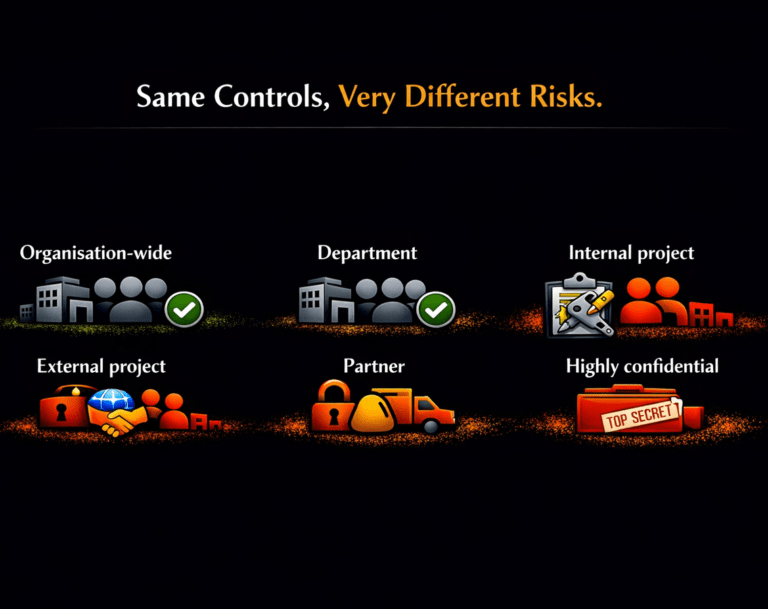
Same Controls, Very Different Risks
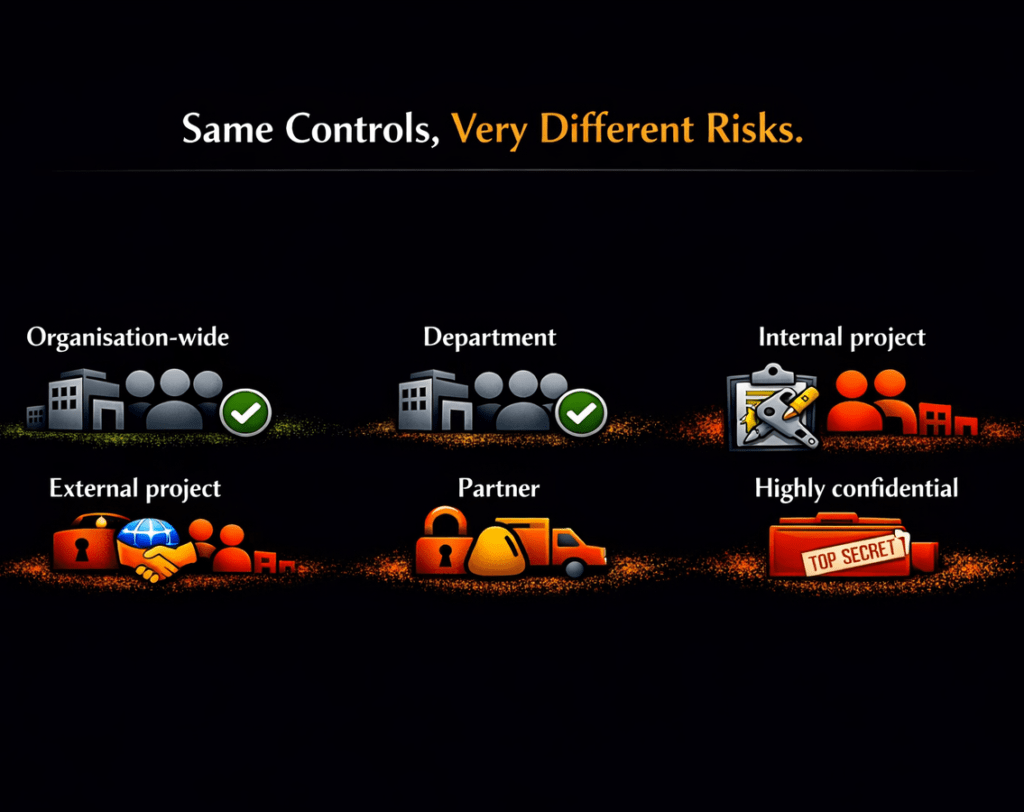
This highlights the core problem: the same controls are being applied to very different risk scenarios.
Why Most Organisations Get This Wrong
Most organisations still try to fix oversharing after content has already been exposed instead of preventing risky collaboration configurations from being created in the first place.
Many organisations assume governance problems are solved by:
- restricting who can create Teams
- disabling guest access
- forcing users through IT approval processes
In practice, these approaches often create friction without improving consistency.
As discussed during the session:
“Different creation models put the same underlying issue. Access controls are still driven by defaults and not risk.”
Whether workspaces are created by users, IT, or automation:
👉 Controls are still driven by defaults, not risk
The Purview Hack No One Talks About
Here is the shift:
“Container sensitivity” is the missing control layer.
Container sensitivity labels are not about files.
They define the behaviour of the workspace itself.
They allow you to enforce:
- Privacy settings
- Guest access controls
- External sharing restrictions
- Conditional Access policies
✅ And most importantly:
They apply those controls consistently at scale.
Microsoft is now reinforcing this approach in its Secure & Governed Data Foundation for Microsoft 365 Copilot – Foundational Deployment Guidance | Microsoft Learn
In the “Set up guardrails” phase, Microsoft recommends using Microsoft Purview Information Protection to require sensitivity labels at the point of site provisioning, ensuring that privacy and sharing controls are applied by default.
This aligns directly with a container-first governance model.
Instead of relying on user decisions or post-creation remediation, organisations can enforce the correct collaboration controls at the moment a Team, Group, or SharePoint site is created.
In other words, container sensitivity labels are no longer just a best practice.
They are becoming a foundational control for reducing oversharing and establishing secure-by-default collaboration in the Copilot era.
The Key Shift: From Documents to Workspaces
Traditional thinking:
📄 Protect the file
Modern reality with Copilot:
🧠 Govern the workspace
Because Copilot operates across:
- Conversations
- Documents
- Collaboration context
👉 The container becomes the security boundary
Container vs Item Labels: A Simple Mental Model
This is where many organisations get confused.
Keep it simple:
🔐 Container labels control access to the workspace
📄 Item labels protect the content
You need both.
But if the container is open, the content is already exposed.
How Container Sensitivity Labels Reduce Oversharing
The easiest way to understand container sensitivity labels is this:
They are the translation layer between governance decisions and enforcement
At one end, you have business and security requirements:
- What collaboration types are allowed?
- Where is external sharing appropriate?
- Which workspaces require stronger controls?
At the other end, you have Microsoft 365 collaboration platforms:
- Microsoft Teams
- Microsoft 365 Groups
- SharePoint sites
Container sensitivity labels connect governance decisions directly to enforced controls.
They take high-level decisions and turn them into consistently enforced controls across every workspace.
Risk-Based Governance Model
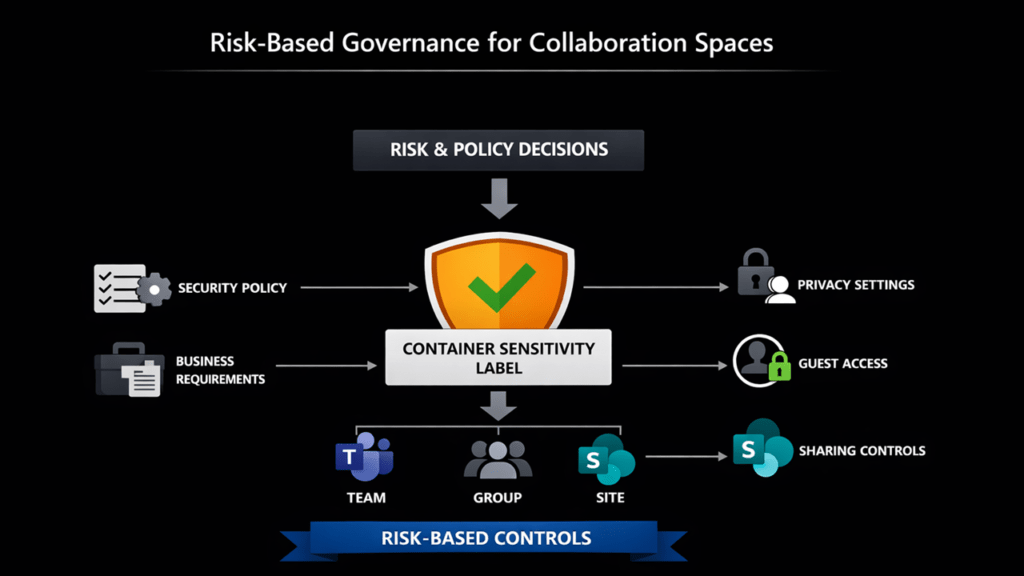
The following model shows how:
- Risk and policy decisions
- Flow through container labels
- Into enforced controls across Teams, Groups, and Sites
The Reality Most Organisations Face
Many environments carry years of configuration drift:
- Legacy Teams with open access
- Inconsistent sharing policies
- Uncontrolled guest access
- No standardised governance model
Before Copilot:
- Discovery was manual
- Risk was harder to see
With Copilot:
- Discovery becomes instant
- Access becomes visible
- Risk becomes scalable
👉 Governance debt becomes exposure.
Not Just Preventative
Container sensitivity labels are not only for new workspaces.
They can also be applied to existing:
- Microsoft Teams
- Microsoft 365 Groups
- SharePoint sites
This makes them one of the fastest ways to:
✅ Reduce oversharing risk
✅ Standardise governance
✅ Improve Copilot readiness
As I explained during the session:
“This approach is not just preventative. Container sensitivity labels can be bulk applied to existing Teams, Groups and SharePoint sites.”
👉 For a detailed implementation guide, see:
https://nikkichapple.com/how-do-i-add-sensitivity-labels-to-your-existing-groups-teams-and-sites/
Watch the Purview Lightning Talk (Microsoft Security Community)
If you want to see this in practice (and why it’s such a fast win), the session covers:
- live demonstrations
- the governance model
- collaboration risk
- practical configuration guidance
Why This Matters
Tenant-wide defaults are generic. Collaboration is not.
In many organisations, oversharing is not malicious. It happens because workspaces inherit overly broad defaults or rely on inconsistent manual decisions.
The result:
- External collaboration becomes too permissive
- Sensitive projects inherit weak controls
- Guest access is inconsistent
- Sharing varies between workspaces
- Governance depends on human judgement
With Copilot:
👉 What users can access is what Copilot can surface.
Outcomes of Container Governance
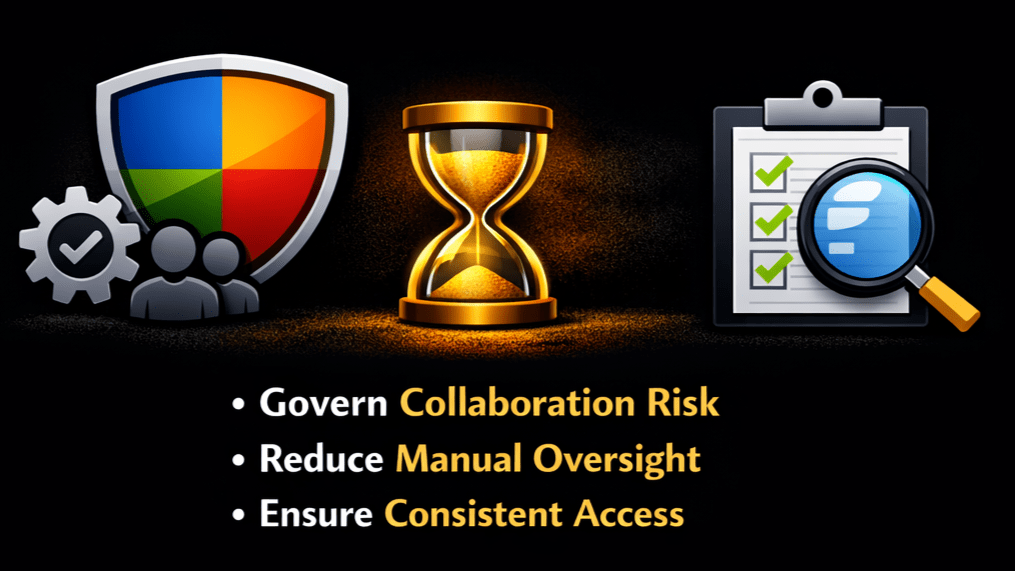
This is the end state:
- ✅ Govern collaboration risk
- ✅ Reduce manual oversight
- ✅ Ensure consistent access
Container sensitivity labels move governance from manual, inconsistent decisions to automated, risk-based control at scale.
The Shift: From Reaction to Design
The goal is not to make collaboration harder.
The goal is to design it properly from the start.
To:
✅ Apply the right controls automatically
✅ Align collaboration with business risk
✅ Make every workspace secure by default
Because:
“The risk has not been removed. It has just been shifted.”
“The real problem is not whether users create workspaces themselves or IT does it for them. The problem is that very different collaboration scenarios are treated the same way.”
Recommended Next Steps
- Review how Teams, Groups, and SharePoint sites are created
- Identify overly permissive defaults
- Define a simple, risk-based container label model
- Standardise collaboration governance using container sensitivity labels
- Assess existing workspaces for oversharing risk
And most importantly:
“Ask whether access controls are applied consistently or just differently.”
Final Thought
If you are starting your Microsoft 365 Copilot governance journey, container sensitivity labels are one of the highest-impact controls you can implement early.
As Copilot adoption accelerates, organisations that reduce oversharing at the source will be better positioned to scale AI safely and confidently.
Copilot doesn’t create your data risk. It reveals it.
Container sensitivity labels let you fix it at the source.
Frequently Asked Questions (FAQ)
What are Microsoft Purview container sensitivity labels?
Container sensitivity labels apply governance controls to Microsoft Teams, Microsoft 365 Groups, and SharePoint sites. They define how collaboration works, including access, privacy, and sharing settings.
Why are container sensitivity labels important for Microsoft 365 Copilot?
Microsoft 365 Copilot operates within existing permissions. Container sensitivity labels ensure those permissions are governed from the start, reducing oversharing risk and improving Copilot output.
Do container sensitivity labels protect files and emails?
No. Container labels govern the workspace, not the content inside it. You still need item-level sensitivity labels to protect files and emails.
How do container sensitivity labels reduce Copilot oversharing?
Oversharing often starts with overly permissive workspaces. Container sensitivity labels enforce the correct access and sharing controls at creation, preventing risky configurations before Copilot can surface them.
Do I need to restrict who can create Teams to control oversharing?
Not necessarily. Restricting creation can add friction without improving consistency. Container sensitivity labels allow organisations to apply risk-based controls automatically, regardless of who creates the workspace.
Where should I start with container sensitivity labels?
Start by defining a simple, risk-based model for your collaboration scenarios. Focus on applying the right controls at workspace creation rather than trying to fix oversharing later.
Microsoft References
- Use sensitivity labels to protect collaborative workspaces (groups and sites) | Microsoft Lear
- Secure & Governed Data Foundation for Microsoft 365 Copilot – Foundational Deployment Guidance | Microsoft Learn
Need help governing AI and protecting your data in Microsoft 365?
If you’re working through these challenges in your organisation, I can help.
Nikki Chapple is a dual Microsoft MVP (Microsoft 365 and Security) and Principal Cloud Architect at CloudWay, helping enterprises reduce data exposure, prevent data loss, and manage AI risk across Microsoft 365. More about Nikki.
She co-hosts the AI Governance and Data Security Show with Ryan John Murphy, helping organisations securely adopt AI, govern data, and manage generative AI risk.
📺 YouTube · 🎧 Spotify · 🎧 Apple · 🔗 LinkedIn