How to keep up to date with Microsoft 365 Copilot

Staying up-to-date on the latest developments on Microsoft 365 Copilot is vital in today’s fast-paced world. However, keeping track of all the updates and changes can be time-consuming. But don’t worry! This blog will explain how to use Power Power Automate to send your personalized Microsoft 365 Copilot RSS news feed to a Microsoft ToDo list (or any location). Once set up, you will receive updates as soon as new content is published without spending endless hours searching for them. With this approach, you will always be up-to-date with the latest Microsoft 365 Copilot news and information, and you can say goodbye to the hassle of manually tracking updates.

This blog is your ultimate guide to staying ahead of the game, ensuring you never miss any crucial updates. Using Power Automate and RSS feeds, you can automatically add new and updated content to your To-Do list and be the first to know about any critical information. With this simple yet effective approach, you can stay in control and stay ahead of the curve.


Read More

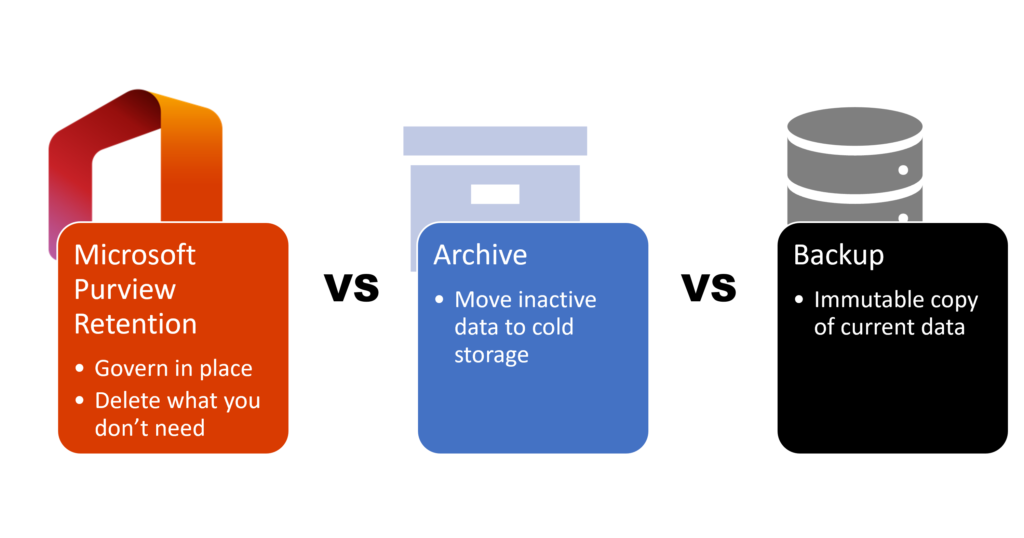
Microsoft 365 Retention Archive and Backup Strategies Explained

Are you unsure about how to manage your Microsoft 365 data retention, archiving, and backup? In this guide, we’ll break down these crucial data management strategies to help you protect your data, ensure compliance, and optimize your storage in Microsoft 365. By the end of this article, you’ll understand the key differences between these strategies and how to apply them effectively.


Read More

All Things M365 Compliance podcast EP10: Peter Rising | eDiscovery

In episode 10 of the All Things M365 Compliance podcast, Ryan John Murphy and Nikki Chapple chat with Peter about one of his favourite topics Microsoft Purview eDiscovery! Peter walks us through the Seven Stages of eDiscovery Premium. Subscribe today to receive valuable insights from Microsoft MVPs and other experts in Microsoft security and compliance.


Read More

All Things M365 Compliance podcast EP11: Ru Campbell | Security & Compliance

In episode 11 of the All Things M365 Compliance podcast, Ryan John Murphy and Nikki Chapple talk to Ru Campbell about the importance of the Microsoft Zero Trust Model and extending and providing a defence in depth for Microsoft Security & Compliance. Subscribe today to receive valuable insights from Microsoft MVPs and other experts in Microsoft security and compliance.


Read More

All Things M365 Compliance podcast EP12: Martin Lingstuyl | DLM & RM Coding/PowerShell

In episode 12 of the All Things M365 Compliance podcast, Ryan John Murphy and Nikki Chapple interview Martin Lingstuyl about his impressive coding work on Data Life Cycle Management. They discuss his expertise in verifying labels and fixing instances where labels were not applied accurately.  Subscribe today to gain a competitive edge and valuable insights.


Read More

All Things M365 Compliance podcast EP13: App Governance with Viktor Hedburg

The latest instalment of the All Things M365 Compliance podcast has just been released. In this episode, Ryan John Murphy and Nikki Chapple talk with Microsoft Security MVP Viktor Hedberg about how Microsoft Cloud App Governance can enhance compliance and data security.  Subscribe now to gain valuable insights and stay ahead of the curve!


Read More

How to add sensitivity labels to your existing Microsoft 365 Groups, Teams and SharePoint sites

How to add sensitivity labels to my existing groups, teams and sites? This was a question I was asked after one of my previous blogs on how to protect your groups, Teams and sites. If you only have a small number of groups, teams and sites, then it is easy to manually add the container sensitivity label to each group team or site. But what happens when you have thousands of groups, couples and sites?

Fortunately, there is a way to automate this task using PnP PowerShell. In this blog post, I will walk you through the steps needed first to analyze your existing groups, teams and site and then to programmatically apply container sensitivity labels to your existing Teams, Groups, and Sites in Microsoft 365 to help you protect your important data from unauthorized access and accidental sharing.


Read More

How to use Microsoft 365 Retention Policies and Labels

Are you struggling to stay compliant with industry regulations and company policies when it comes to managing your organization’s data? Look no further, because Microsoft 365 retention can help you stay compliant and secure. Microsoft Purview Data Lifecycle and Records Management provides powerful tools to enable you to automatically retain or delete content based on your retention schedules.

In this blog, I will walk you through the basics of setting up retention policies and labels in Microsoft 365, so you can start meeting regulatory requirements and protecting your organisation’s sensitive information.


Read More

How to use sensitivity labels with your PDF files

Did you know you can now label your PDF files with the same sensitivity labels you use with your Word, PowerPoint and Excel files?

Using Microsoft Purview sensitivity labels, you can add a visible classification label, protect your PDF files with encryption and add visible marking such as headers, footers and watermarks. Your PDF file now respects any Data loss Prevention policies, such as blocking external sharing of confidential data.


Read More

How to allow auto-forwarding to Teams channels

Email forwarding can be useful, but poses a security risk due to the potential disclosure of information. Therefore the Anti-spam outbound policy blocks the auto-forwarding at the tenant level by default. Although this minimises the security risks, it hampers productivity since there are valid reasons to allow auto-forwarding to an external domain.

There are valid use cases for external email forwarding such as:

  • To support the adoption of Microsoft Teams and the concept of working in Teams rather than sending email. However, users cannot auto-forward emails to a Teams channel, because the Teams channel email addresses are external email addresses, for example (uniqueid@emea.teams.ms or uniqueid@uk.teams.ms).
  • Auto-forwarding emails to a third-party system, such as CRM or ticketing system for processing.

Read on to learn how to allow auto-forwarding to Teams channels and other authorised external domains to increase productivity and reduce security risks.


Read More